Tech Series · 02
Zero to 100: Servers, Cloud, and Networking Foundations
Before you touch DevOps, you need to understand where everything runs. Let's break it down from zero.
On this page6 sections
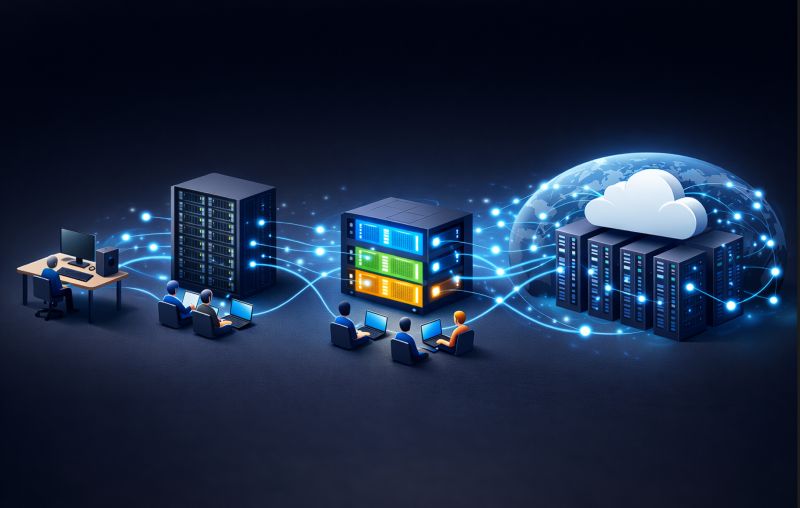
Before starting DevOps, the first step is understanding where everything runs — servers and cloud. Let's break it down from zero.
What Is a Server?
A server is a computer that provides services or information to other computers. Your PC is technically a server for yourself — it stores files, runs programs, and responds to your actions.
A real server handles thousands of requests simultaneously — websites, apps, games, and more. Example: when you open Google, your browser asks Google's server for the page, and the server sends it back instantly.
Types of Servers
Servers are not all the same. Key types:
| Type | What you get | Analogy |
|---|---|---|
| Dedicated server | The entire machine | Owning a house on your own land |
| Shared server | Resources split across users | Renting a flat in an apartment |
| Virtual server / VPS | Your private slice of a bigger server | Renting a plot in a high-tech city |
| Cloud server | A virtual server on distributed data centers | Renting in a massive, secure city — scale anytime |
Connecting Servers and Networks
Servers need internet access to communicate. Every server gets an IP address, like a postal address for sending and receiving data. Requests travel through networks — like roads connecting houses — to reach the server.
Example path: laptop → WiFi → Internet Service Provider (ISP) → internet → server IP → server responds.
Analogy — sending a letter:
- Address → IP
- Roads → Network
- Mailbox → Server ports/services
What Cloud Computing Actually Means
Cloud computing is renting computing resources on demand, instead of buying physical machines. Benefits:
- Scale easily — add CPU, storage, or memory anytime
- Pay as you go — no upfront cost for massive machines
- Accessible anywhere — always online, globally
- Reliable and secure — hosted in data centers with backups and power redundancy
Analogy: a pendrive is your own storage (dedicated); Google Drive is cloud storage (shared, accessible, scalable). Cloud servers are virtual servers running in cloud data centers.
Why This Matters
DevOps engineers deploy, monitor, scale, and secure systems on servers. Knowing how servers work — types, cloud vs. dedicated, networking — is the foundation of DevOps. Without this, you can write code, but you won't know how it behaves in reality.
Key Takeaways for Beginners
- Servers are computers serving information
- Types: dedicated, shared, VPS, cloud
- IP and network are how servers communicate
- Cloud means scalable, pay-as-you-go, always online
- DevOps means owning the system end-to-end — servers, code, and network
Next in this series: a hands-on guide to launching a first AWS EC2 server, installing Ubuntu, and connecting to it like your own cloud computer.
Originally published on LinkedIn.
Read the series — Tech Series
Tech Series index- 01Why DevOps (And What It Really Is)
- 02Zero to 100: Servers, Cloud, and Networking Foundations (this piece)
- 03Cloud Under Fire: What Every Tech Leader Must Learn
- 04Why Big Tech Companies Still Go Down
- 05The Silent War Happening Inside Every Tech Company
- 06The Internet Was Never Designed to Be This Big
- 07Why the World's Most Expensive Software Keeps Failing
- 08AI Is Inside Your Pipeline. Most Teams Run It Wrong.
- 09The Japanese WordPress Hack: Zero To 100
- 10VPN: What It Is, Who It's Actually For
- 11Why "Full-Stack" Stopped Being Optional
- 13What Is System Design And Why You Should Care

Muhammed Nasvih V
Lead DevOps & Cloud Engineer · Jeddah, Saudi Arabia
Writes The Stack Notes — field notes on infrastructure, AI, money and work. Cloud infrastructure, CI/CD, security and automation at Code7 Information Technology.