Tech Series · 09
The Japanese WordPress Hack: Zero To 100
Most WordPress owners find out they're hacked from Google, not from an alert. Here's the full breakdown.
On this page5 sections
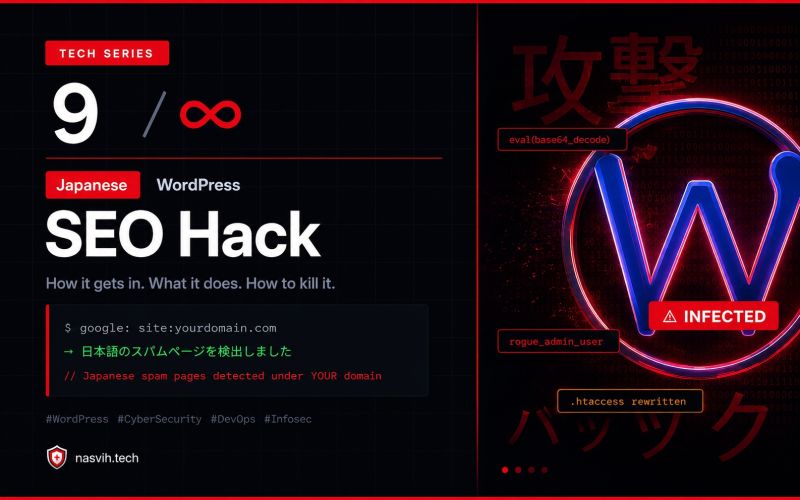
Most WordPress owners find out they're hacked from Google. Not from an alert. Not from their host. From Google showing Japanese text under their domain in search results.
Let's fix that. Full breakdown below.
What Is It?
The Japanese SEO Hack (also known as the Japanese Keyword Hack).
Attackers inject thousands of Japanese-language spam pages into your WordPress site — silently. No visible damage. Your site looks fine to you. But Googlebot sees thousands of Japanese pages boosting some random spam network.
Your domain authority becomes their free SEO farm. Eventually Google penalizes your domain. Not theirs.
How Does It Get In?
- Outdated or nulled plugins/themes (the #1 reason)
- Abandoned plugins bought by attackers on the WP repo
- Weak wp-admin credentials (brute forced)
- A PHP backdoor hidden in
/wp-content/uploads/ - On shared hosting — one infected site spreads to all
What Happens After?
- A backdoor PHP shell is dropped (hidden, persistent)
- A rogue admin user is created silently
.htaccessis rewritten — Googlebot sees spam, you don't- Thousands of Japanese posts are injected into your database
- Your sitemap is poisoned and submitted to Google
- The SEO penalty hits. Traffic tanks. Clients ask questions.
How To Prevent It
- Keep WordPress core and all plugins updated always
- Delete plugins you're not using — every one is attack surface
- Never use nulled themes or plugins. Ever.
- Change the default
/wp-adminto a custom secret URL - Block PHP execution inside
/uploadsvia.htaccess - Enable 2FA on all admin accounts
- Use Cloudflare WAF (the free tier is enough)
- Set file permissions: dirs 755, files 644, config 600
- Disable XML-RPC if you don't use it
- Monitor via Google Search Console —
site:yourdomain.com
How To Solve It (SSH Method)
Step 1 — SSH in, find backdoors:
find . -name "*.php" | xargs grep -l "eval(base64_decode"
find ./wp-content/uploads -name "*.php" -delete
Step 2 — Reinstall clean WordPress core:
wp core download --forceStep 3 — Remove the rogue admin and injected posts via WP-CLI:
wp user delete [suspicious-id]
wp post delete $(wp post list --format=ids) [japanese posts]
Step 4 — Clean .htaccess: delete it, then regenerate via Settings → Permalinks → Save.
Step 5 — Block the uploads folder from executing PHP:
echo '<Files *.php>deny from all</Files>' > wp-content/uploads/.htaccessStep 6 — Change the admin URL:
wp plugin install wps-hide-login --activateStep 7 — Rotate everything: DB password, SSH keys, WP secret keys, admin passwords.
Step 8 — Remove the injected Google index: Search Console → URL Removal Tool → submit a fresh sitemap.
Prevention = 30 minutes. Recovery = 2 days of regret.
Run site:yourdomain.com on Google right now. If you see Japanese — you know what to do.
Originally published on LinkedIn.
Read the series — Tech Series
Tech Series index- 01Why DevOps (And What It Really Is)
- 02Zero to 100: Servers, Cloud, and Networking Foundations
- 03Cloud Under Fire: What Every Tech Leader Must Learn
- 04Why Big Tech Companies Still Go Down
- 05The Silent War Happening Inside Every Tech Company
- 06The Internet Was Never Designed to Be This Big
- 07Why the World's Most Expensive Software Keeps Failing
- 08AI Is Inside Your Pipeline. Most Teams Run It Wrong.
- 09The Japanese WordPress Hack: Zero To 100 (this piece)
- 10VPN: What It Is, Who It's Actually For
- 11Why "Full-Stack" Stopped Being Optional
- 13What Is System Design And Why You Should Care

Muhammed Nasvih V
Lead DevOps & Cloud Engineer · Jeddah, Saudi Arabia
Writes The Stack Notes — field notes on infrastructure, AI, money and work. Cloud infrastructure, CI/CD, security and automation at Code7 Information Technology.